▣ README.md

Zenix
Your settings. Your style. One familiar place.
A desktop interface with a charcoal canvas, pink accents, game profiles, and a dedicated launcher. Keep shared preferences and game-specific settings together.
platform Windows x64
Installation
Option A: Launcher
- Download Zenix Loader using the button below.
- Open the launcher, check for updates, and launch Zenix.
- Sign in with your valid Zenix license key.

Option B: Desktop package
Download the app package or executable from a published release. Extract ZIP packages before running the app, and keep the included license notices.
Game profiles
| Profile | Controls |
|---|---|
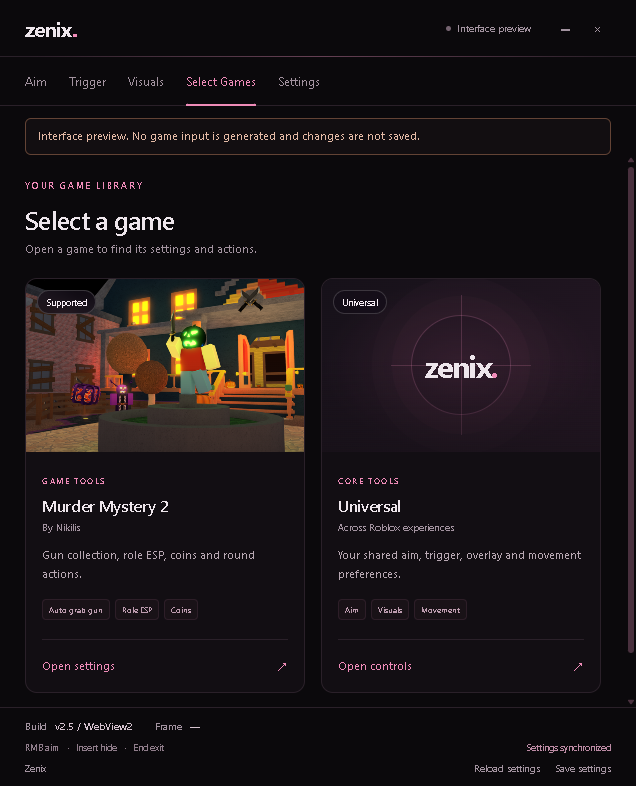
| Murder Mystery 2 | Dedicated MM2 settings, role displays, and game-specific controls. |
| Universal | Shared aim, visuals, and movement preferences. |
Select a game card in the desktop app to open its settings. Save your preferences to use them next time.
Interface preview
Show the Zenix desktop interface
Help
For available versions and download files, visit Zenix Releases. This page is a guide to the app; the resource rows above navigate to documentation and downloads.